Bancontact Pay at your bar or event: what changed from Payconiq
Bancontact Pay is the new name of the Payconiq by Bancontact app. Visitors scan a QR code with it, or with their bank app, and approve the payment on their phone.
On 16 March 2026 the app became Bancontact Pay, and the Payconiq tools for merchants became Bancontact Pro, according to Bancontact's announcement.
At a bar or event you use it in three places: at the till, for QR orders, and to top up a cashless card or wristband.
Our advice: at a busy bar, show the QR code with the amount on the till screen, not a fixed sticker. Then nobody has to check every payment.
- Bancontact Pay is the same app as Payconiq, with a new name since 16 March 2026.
- Bancontact is the card, Bancontact Pay the visitor's app, Bancontact Pro the merchant's tools.
- At an event you use it at the till, for QR orders and to top up a cashless card.
- You accept cash and at least one electronic means, with no surcharge.
- The visitor's phone needs mobile data: check coverage where people pay.
Is Bancontact Pay the same as Payconiq?
Yes. Bancontact Pay is the same app with a new name and look. QR payments in shops, online and between friends work as before.
Bancontact announced the change on 6 November 2025. About two million users got the new name through an automatic update, without a new download (Bancontact, 16 March 2026, in Dutch).
| Before | Now | What it is |
|---|---|---|
| Payconiq by Bancontact app | Bancontact Pay app | The visitor's app to scan and pay |
| Payconiq GO app | Bancontact Pro app | The merchant's app to receive payments |
| Payconiq merchant portal | Bancontact Pro portal | Where a merchant follows payments |
| Payconiq sticker | QR sticker for Bancontact Pay and Wero | The fixed QR code at a counter |
| Bancontact Payconiq Company | Bancontact Company | The company behind it |
For your bar, little changes in practice.
Bancontact says the service and terms stay the same. It started handing out new stickers on 16 March 2026.
In 30 minutes we'll show you how visitors pay, order and top up with Bancontact Pay on one system.
Who uses the card, the app and the merchant tools?
Bancontact is the debit card, Bancontact Pay the visitor's app, and Bancontact Pro the merchant's tools to receive payments.
- Bancontact card: the debit card visitors tap or insert on a payment terminal. No app involved.
- Bancontact Pay: the app. The visitor scans a QR code and approves the payment in the app.
- Bancontact Card and Bancontact One Click: Bancontact's names for paying online with the card, with a card reader or with saved details.
- Bancontact Pro: the merchant side, formerly Payconiq GO and the merchant portal.
How do you use Bancontact Pay at your bar or event?
At an event, visitors use Bancontact Pay to pay at the till, to pay a QR order, or to top up a cashless card.
| Use | What the visitor does | What you need | Fits best |
|---|---|---|---|
| Pay at the till | Scans the QR code on the terminal screen and approves | A till that shows the QR with the amount in it | Bars, clubs, cafés |
| Pay a QR order | Scans a QR code at the table, orders on the phone, approves in the app | QR ordering linked to the bar or kitchen | Terraces, beach bars, hospitality areas |
| Top up a cashless card | Scans the QR code on the card with Bancontact Pay or a bank app | A closed-loop card or wristband with a QR code | Festivals, events with a closed loop |
All three run through our Bancontact Pay integration. The payment lands in the same reports as card and cashless sales.
Why not just use a fixed sticker?
With a fixed sticker the visitor types the amount, and someone at the counter checks that the payment came in.
At a quiet market stall that's fine. At a bar with a queue, a QR on the till screen saves that check on every drink.
How does a QR payment run at the bar?
A payment at the bar takes four steps, and the bartender only has to do the first.
Our event network keeps your tills and terminals online, but it isn't public Wi-Fi. More in our post on Wi-Fi at your event.
What do Belgian rules say about phone payments at events?
You must accept cash and at least one electronic means, with no surcharge. The FOD Economie names Bancontact Pay as a means for small amounts.
The FOD Economie guidelines on own payment means at events (version of 17 July 2026) spell out three points:
- Cash and electronic: for every purchase on the spot, visitors can pay cash and with at least one electronic means (Code of Economic Law, art. VI.7/4 and VI.7/5).
- No surcharge: you may not charge extra for paying cash or electronically. That ban covers every electronic means (art. VII.30, §3).
- A minimum for one type of card: you may set a minimum for one type of card, if another electronic means covers low amounts. The guidelines give Bancontact Pay as that example.
Can you impose your own card or wristband at an event?
Yes, the same guidelines let you impose it at the bars. You must say so clearly, show prices in euro and keep the terms fair.
Visitors must then be able to buy or top it up on site with cash and electronically.
That exception is for an organiser during an event, and the guidelines don't define an event. During a bar or club's normal opening hours, play safe and follow the cash and electronic rule.
Our post on the three payment models: open loop, closed loop or hybrid explains where Bancontact Pay fits in each.
What drives what Bancontact Pay costs you?
We leave fees out: they depend on your contract and change. What decides your cost is this:
- The payment partner: you sign up with it in your own name, after a check on your organisation (KYC), and the money lands in your own account.
- How it's linked: a fixed sticker, or a QR on the till screen tied to your order.
- Your ticket size: a fee per payment weighs more on a single coffee than on a round of beers.
- Payout: when the money reaches your account, which matters for a pop-up's cash flow.
We guide you through that sign-up, as part of our setup and service.
Bancontact froze current prices for merchants who accepted Payconiq until the end of 2026 (Bancontact press release, 2025). Ask what applies after that date.
In practice: Lokerse Feesten
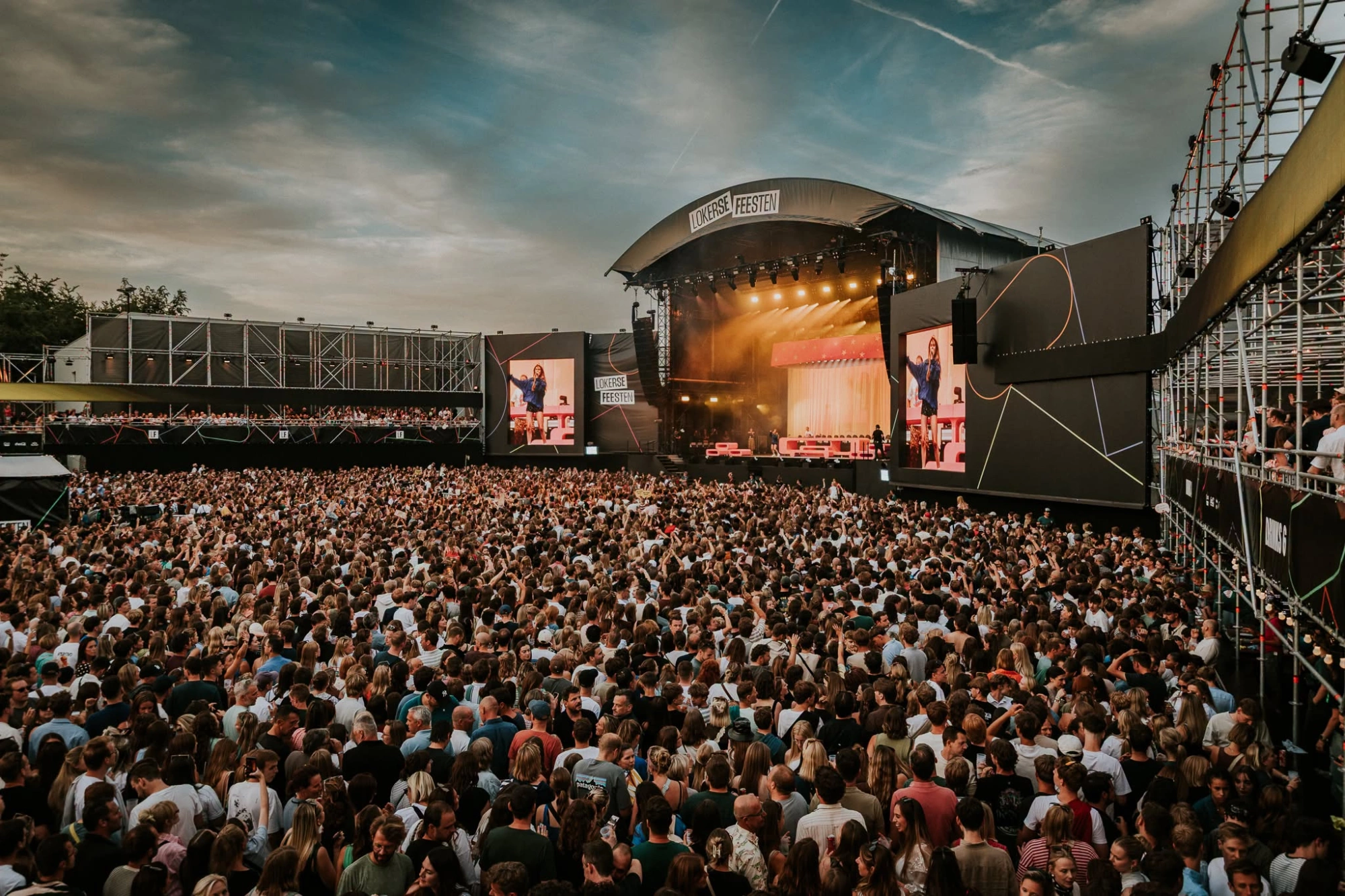
The event: Lokerse Feesten, ten days and 135,000 visitors. Bancontact Pay was an active payment partner.
The setup: the festival ran a closed loop with a cashless card, and open loop at the edge of the site. Every card carried one QR code with three ways to top up:
- Bancontact Pay: scan the card with Bancontact Pay or a Bancontact bank app, and the credit is on it.
- Camera: no app? Scan the same code with the camera and pay with Visa, Mastercard, Apple Pay or Google Pay.
- Voucher: a pre-sales voucher bought through the ticket shop (Tickoweb) links to the card in one scan.
So topping up with Bancontact Pay took one scan, from the same QR code as the other two ways.
The result: as the story puts it, more visitors topped up online and the bars were faster. The support desk also got noticeably fewer questions.
Also running on Beyond Ordering: Coretec Dome.
Checklist before your next event
Go through these six points before your next season or event.
- Replace any old Payconiq sticker and signage with the new Bancontact Pay one.
- Decide where visitors use it: at the till, for QR orders, to top up, or all three.
- Show the QR with the amount on the till screen at busy bars.
- Check mobile coverage where visitors pay. If it's weak, plan visitor Wi-Fi with a network partner.
- List the accepted payment means at the entrance and at the tills.
- Finish your sign-up with the payment partner in time, and ask when you're paid.
Frequently asked questions
Can you still pay with Payconiq?
Yes, with the same app under its new name, Bancontact Pay. Payconiq QR codes were replaced by Bancontact Pay codes in 2026.
Do you need a bank app for Bancontact Pay?
No. Visitors can use the Bancontact Pay app or a bank app that supports it. Both scan the same QR code.
Why does a QR payment sometimes fail at an event?
A common cause is a phone without data on a crowded site. Good mobile coverage near the bars helps, or visitor Wi-Fi from a network partner.
Does Bancontact Pay work with Wero?
The new Bancontact QR stickers accept both Bancontact Pay and Wero, Bancontact says.
Bancontact also says its top-up solution for events is designed to accept both Bancontact and Wero payments.
Ready to plan phone payments for your next event?
First decide where visitors use Bancontact Pay: at the till, for QR orders or to top up.
In a 30-minute demo we look at your bars, your payment means and your peak. Running a café or club? Start from our setup for hospitality and clubs. Rather ask a question first? Get in touch.
Pay, order and top up on one system
In 30 minutes we'll show you how visitors pay at the till, settle a QR order and top up their cashless card with Bancontact Pay.
Read more stories from our blog
Ordering via QR code in your bar or restaurant: how it works
Guests scan, order and pay upfront on their phone, and the order goes to the bar or kitchen. How it works, with the GKS rule and a summer bar.

Hospitality VAT in Belgium: which rate for your café or restaurant?
Hospitality VAT in Belgium: 12% on served food, 21% on every drink you serve, 6% on food and soft drinks to take away. With a worked bill.
How to organise a fuif: the bar, the till and no more drink tickets
Organise a fuif in five steps: registration, Unisono, the bar, reusable cups and a till with one queue instead of paper drink tickets.